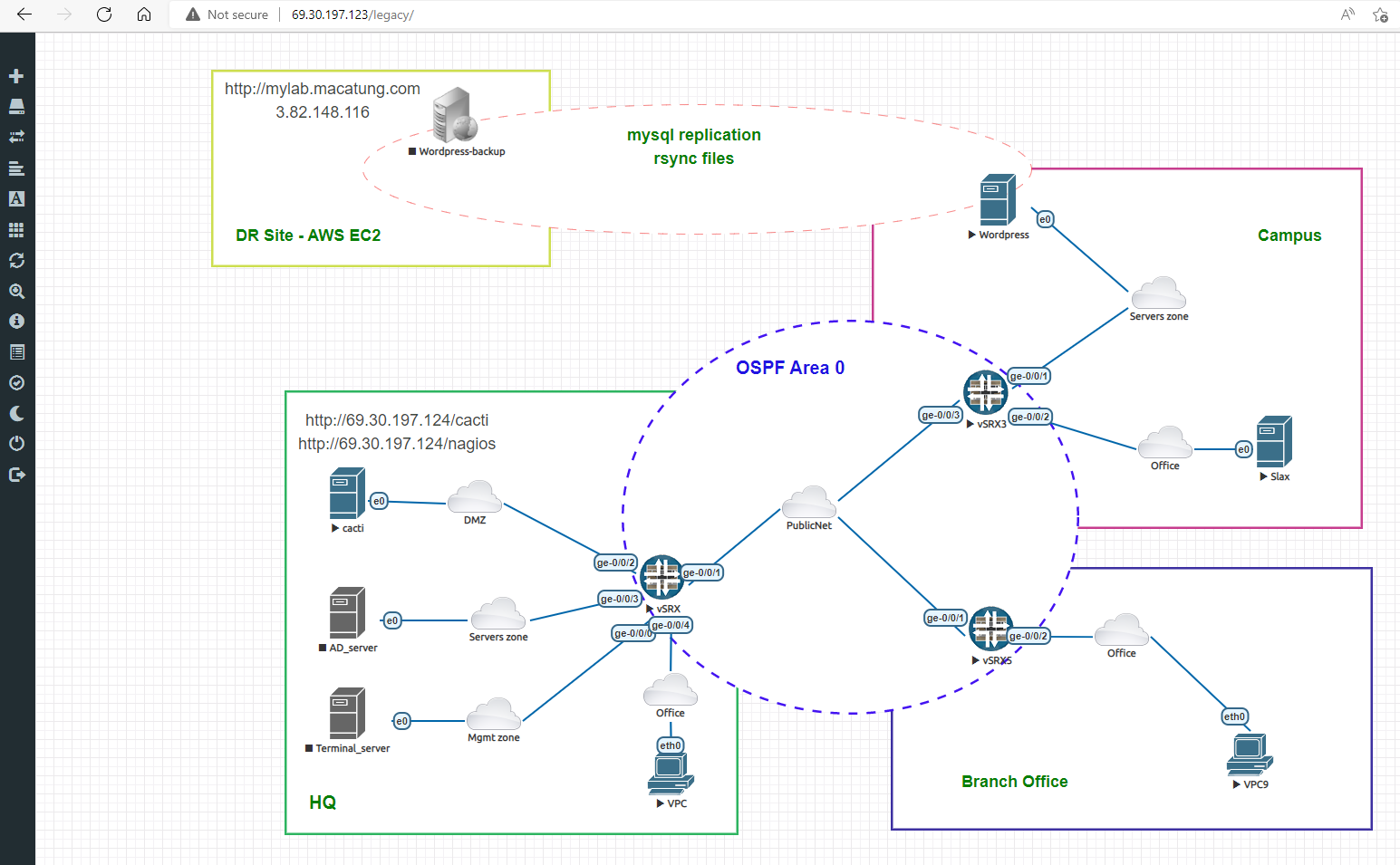
The Lab has been designed in EVE-ng environment as below
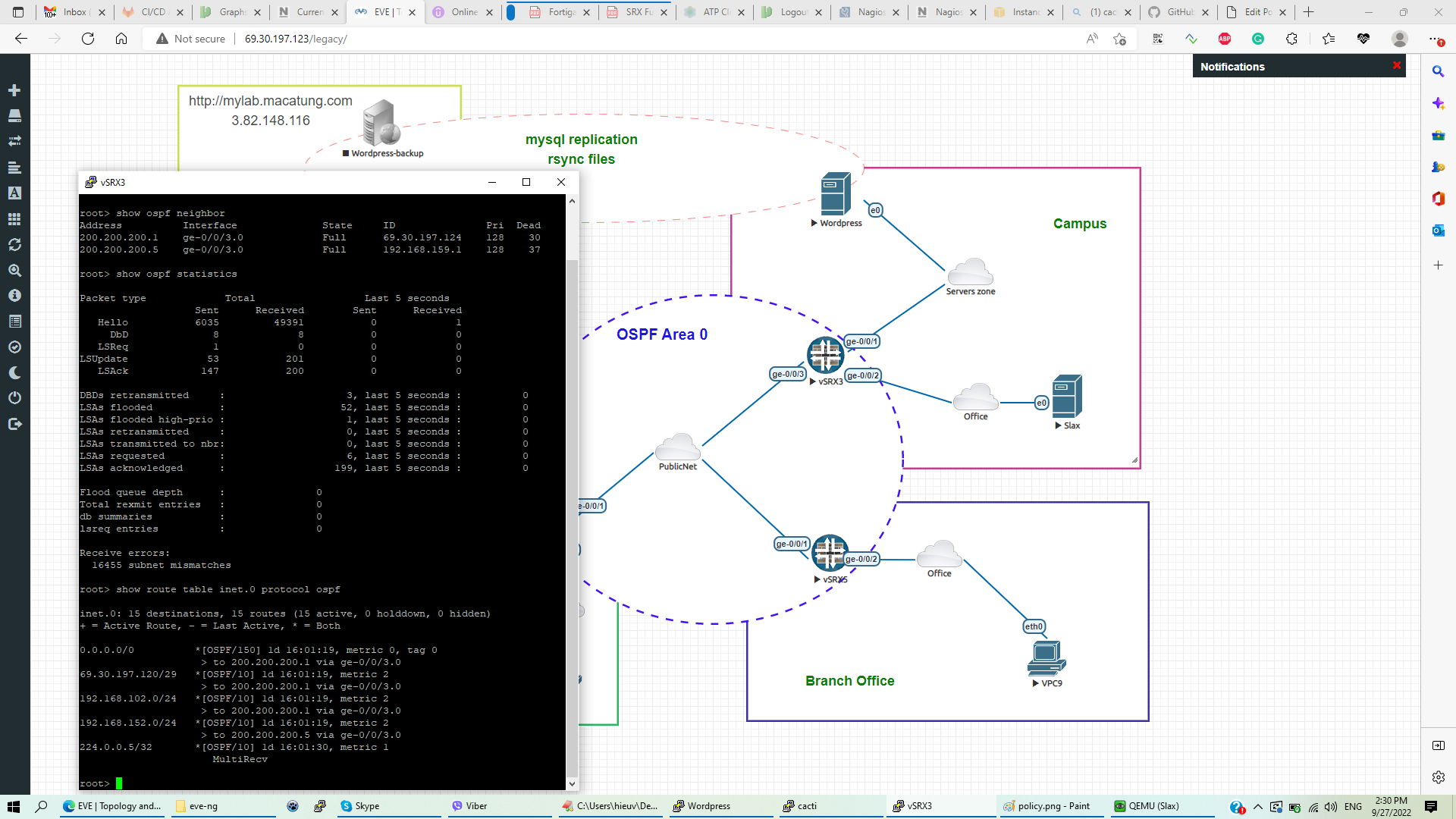
- Headquarter with a Juniper SRX1 firewall, running OSPF area 0 with 2 neighbors in Campus and branch offices.
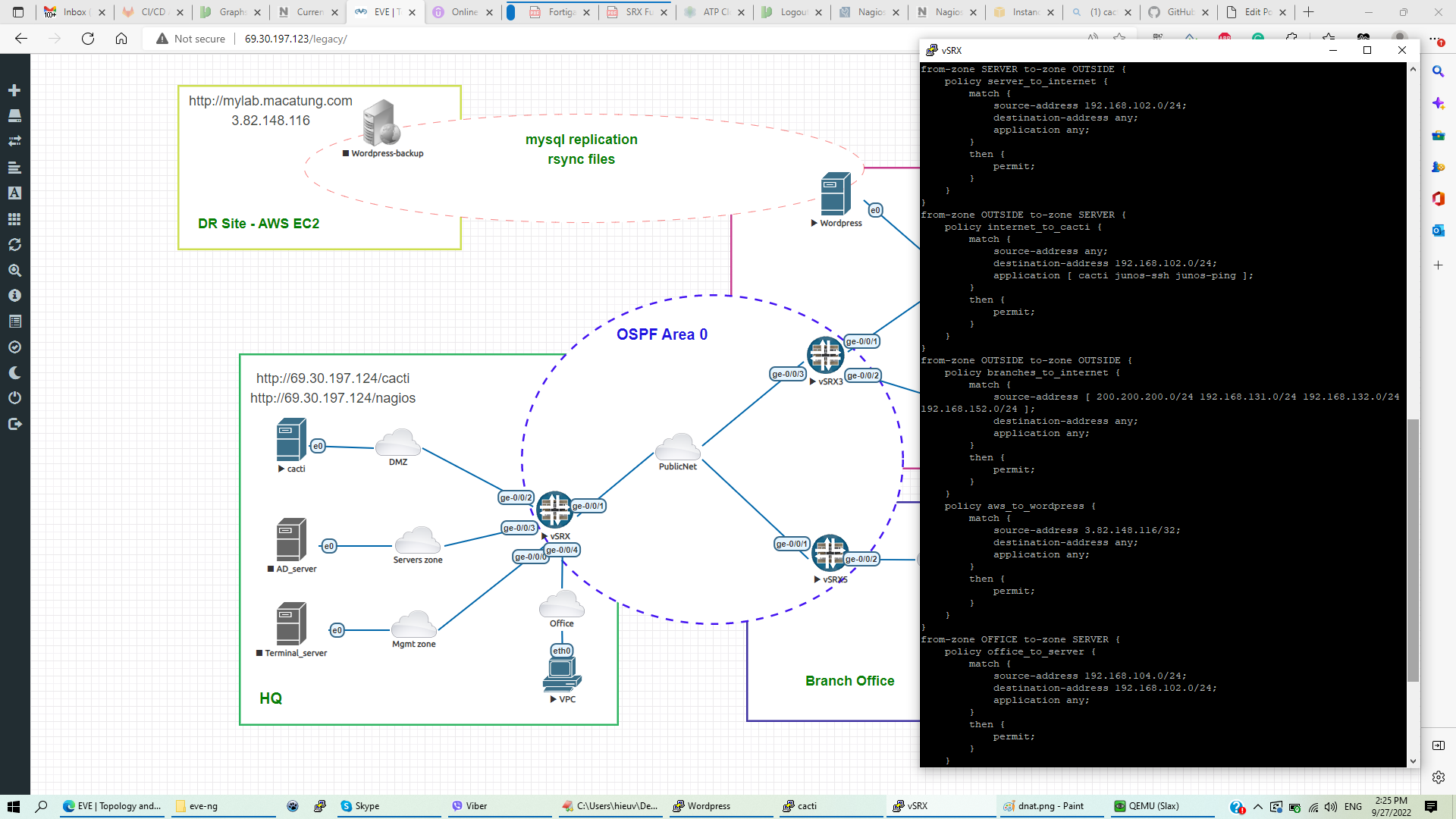
- Users in Office zones can access Server/DMZ zones and public internet with SNAT ( source network address translation) IP 69.30.197.124
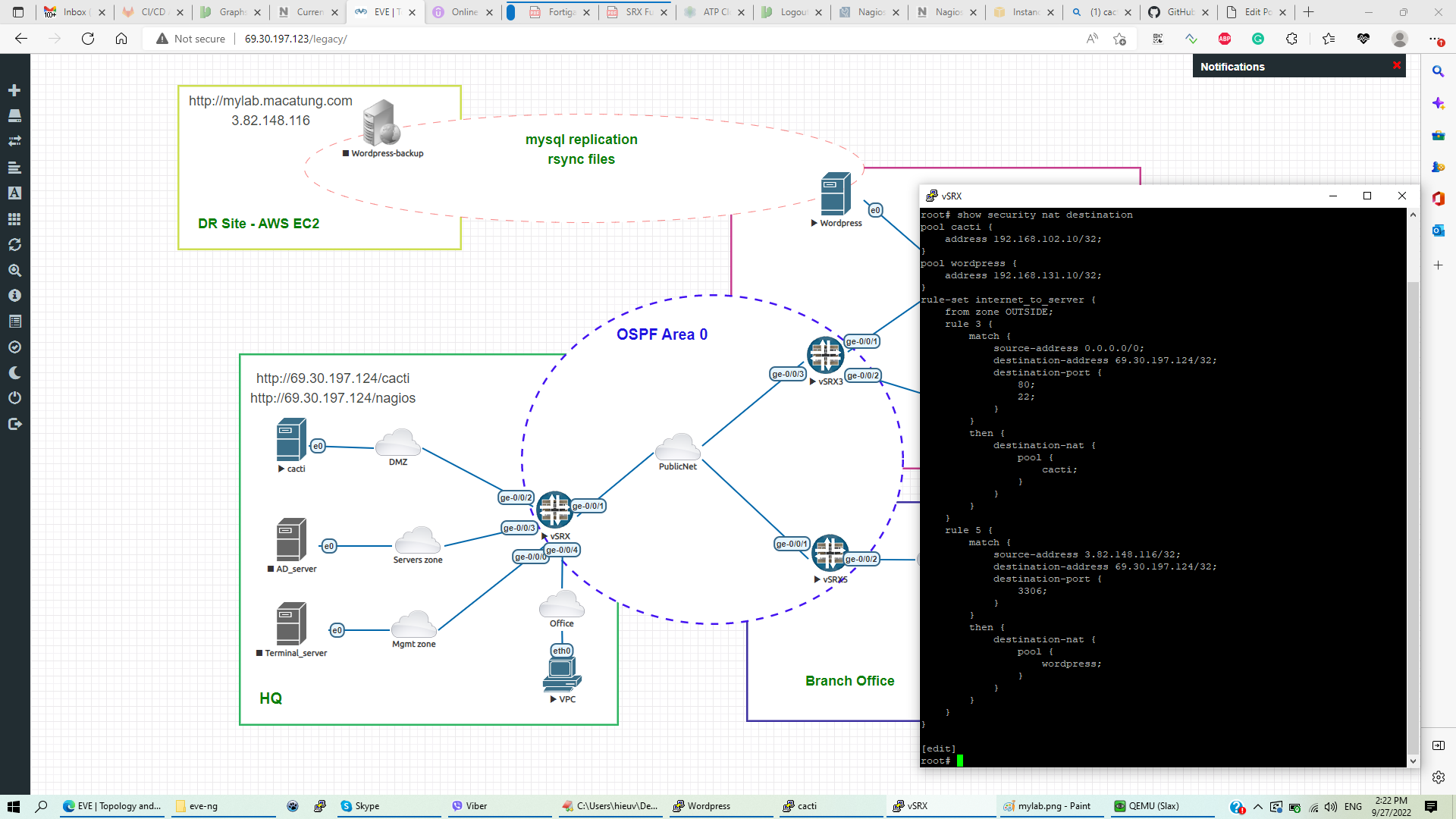
- Monitor server in DMZ zone can be accessed from the internet with DNAT on port http/ssh (69.30.197.124 -> 192.168.102.10 port 22/80)
- WordPress server in Campus only allows access from office users and MySQL port DNAT to public IP 69.30.197.124:3306; only AWS-EC2 VM is allowed to replicate the WordPress database.
- The WordPress backup server has been created on AWS. In case of disaster, the apache web service will be turned on for user access, and all the server DB will be replicated in real-time with the primary DB in Campus. Media files will be rsync’ed every 5 minutes.
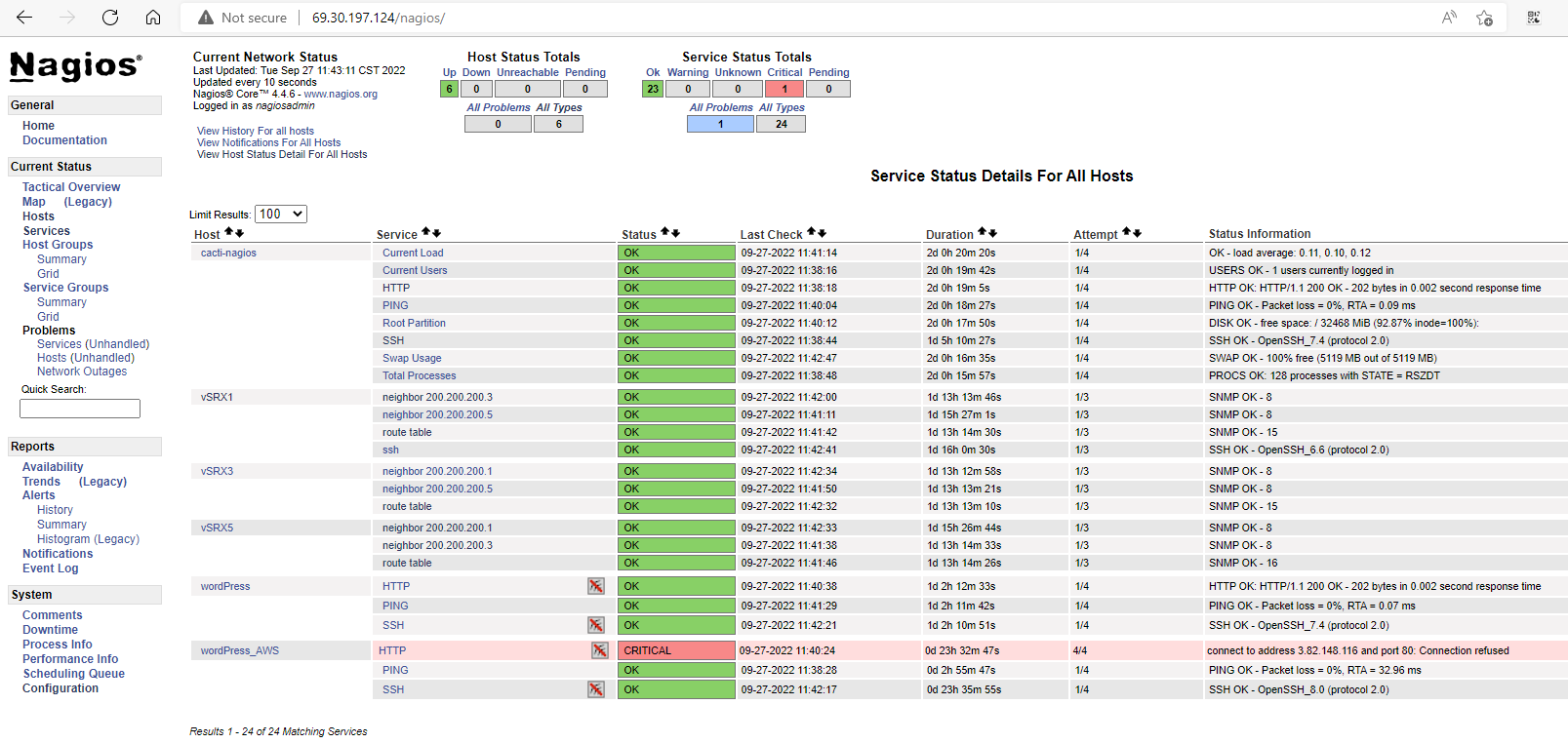
- All network devices and servers is monitored by Cacti/Nagios
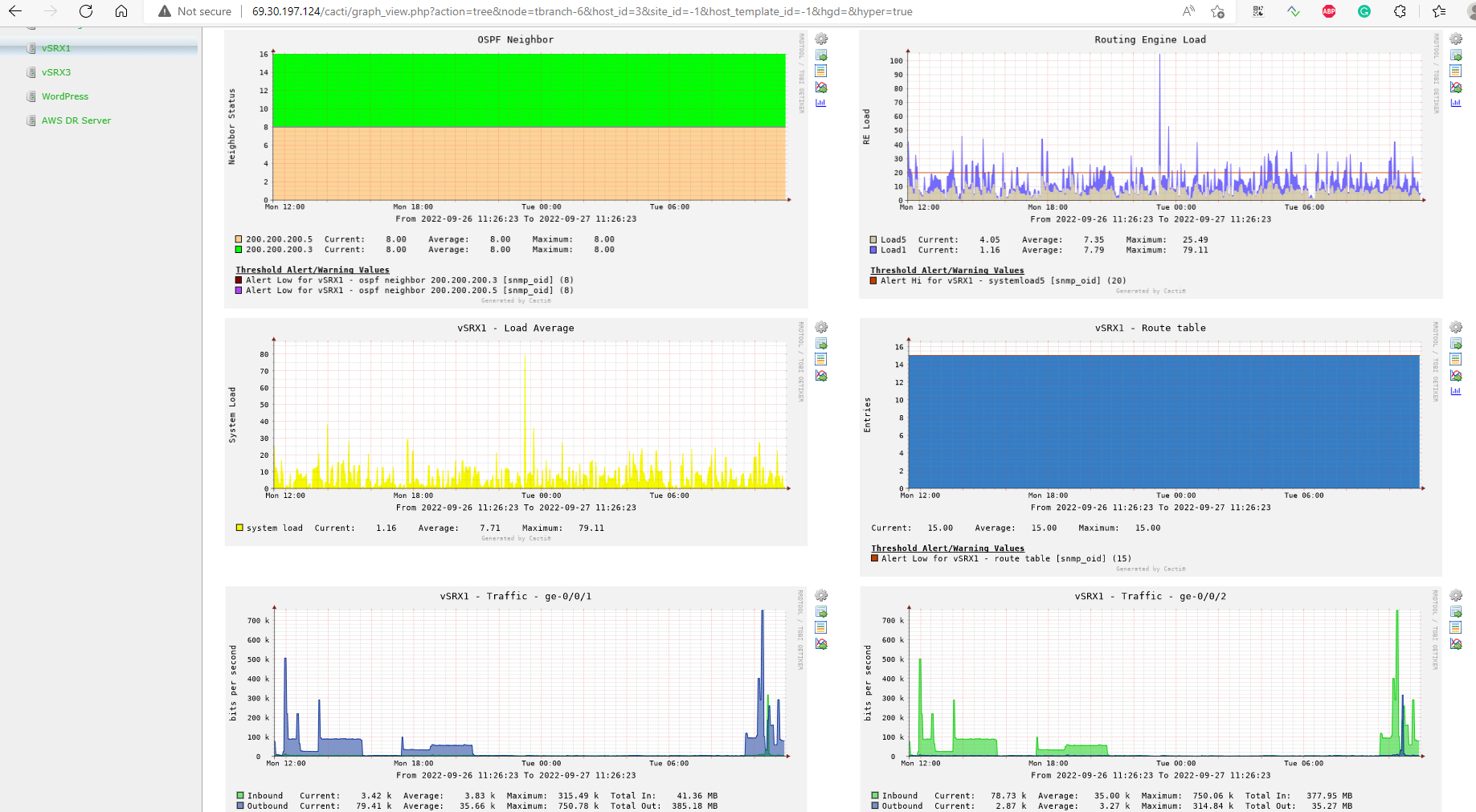
There are some thresholds in the chart above:
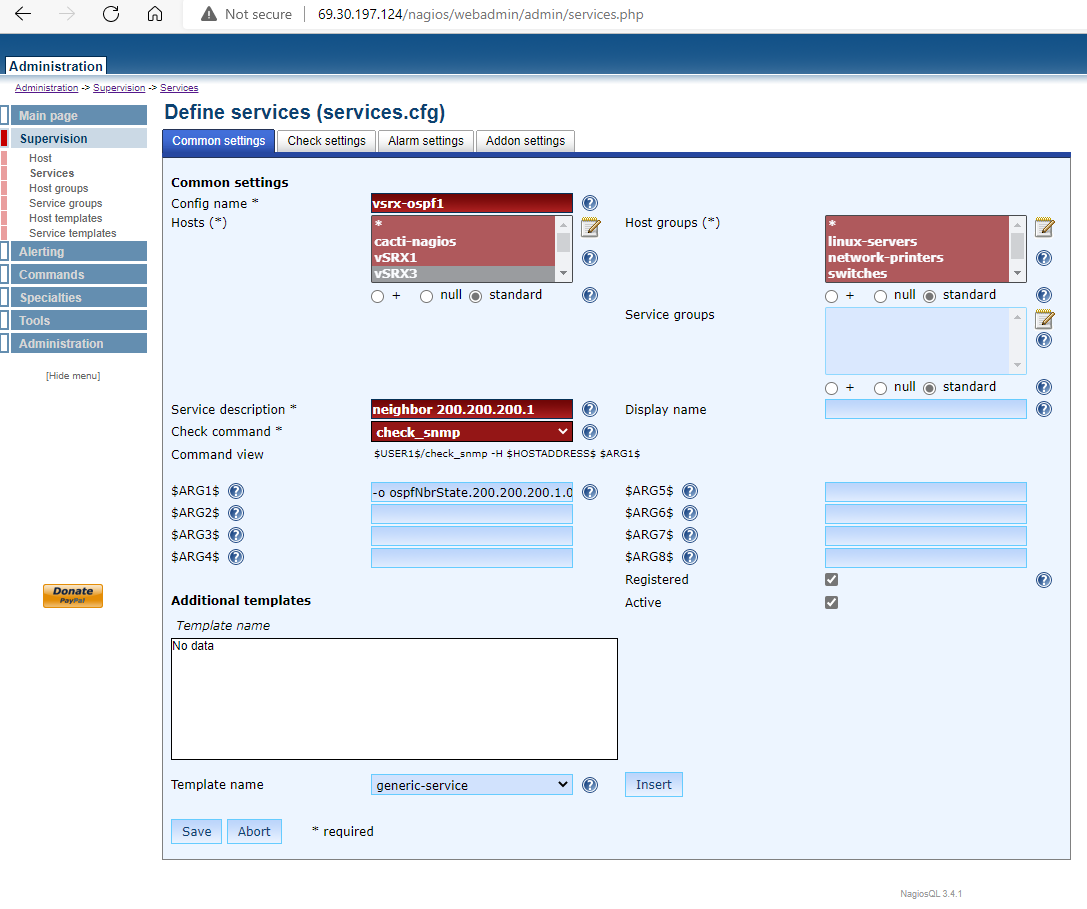
– OSPF neighbor status = 8 (FULL)
– Routing Engine RE0 load will send critical alerts when going over 20
– Any interfaces downed will decrease OSPF routes; an alert will be sent if the routes table has fewer than 15 routes.
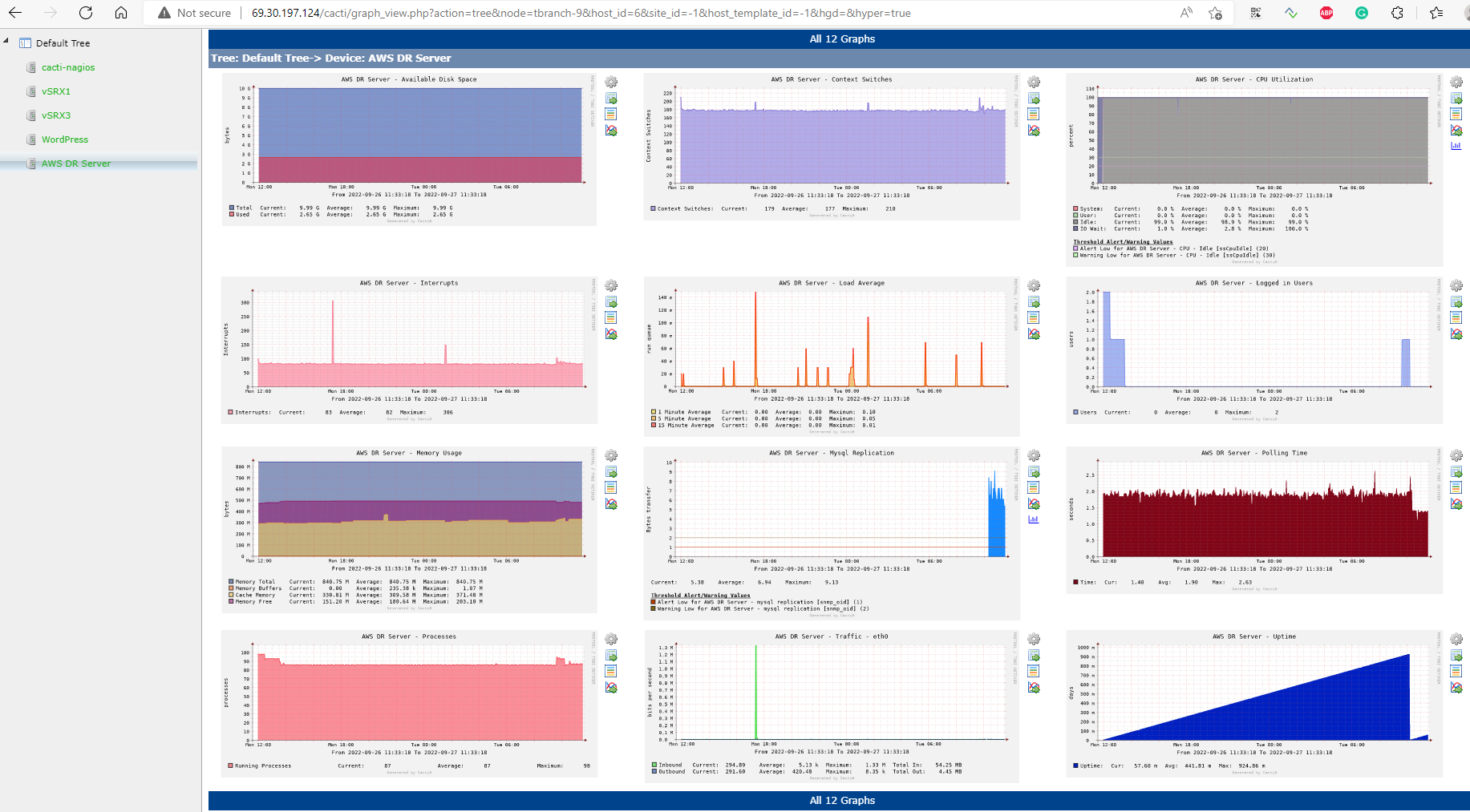
– Mysql replication on AWS backup server will send an alert when DB transfers less than 2 bytes per second or when EC2 VM CPU idle is lower than 30%
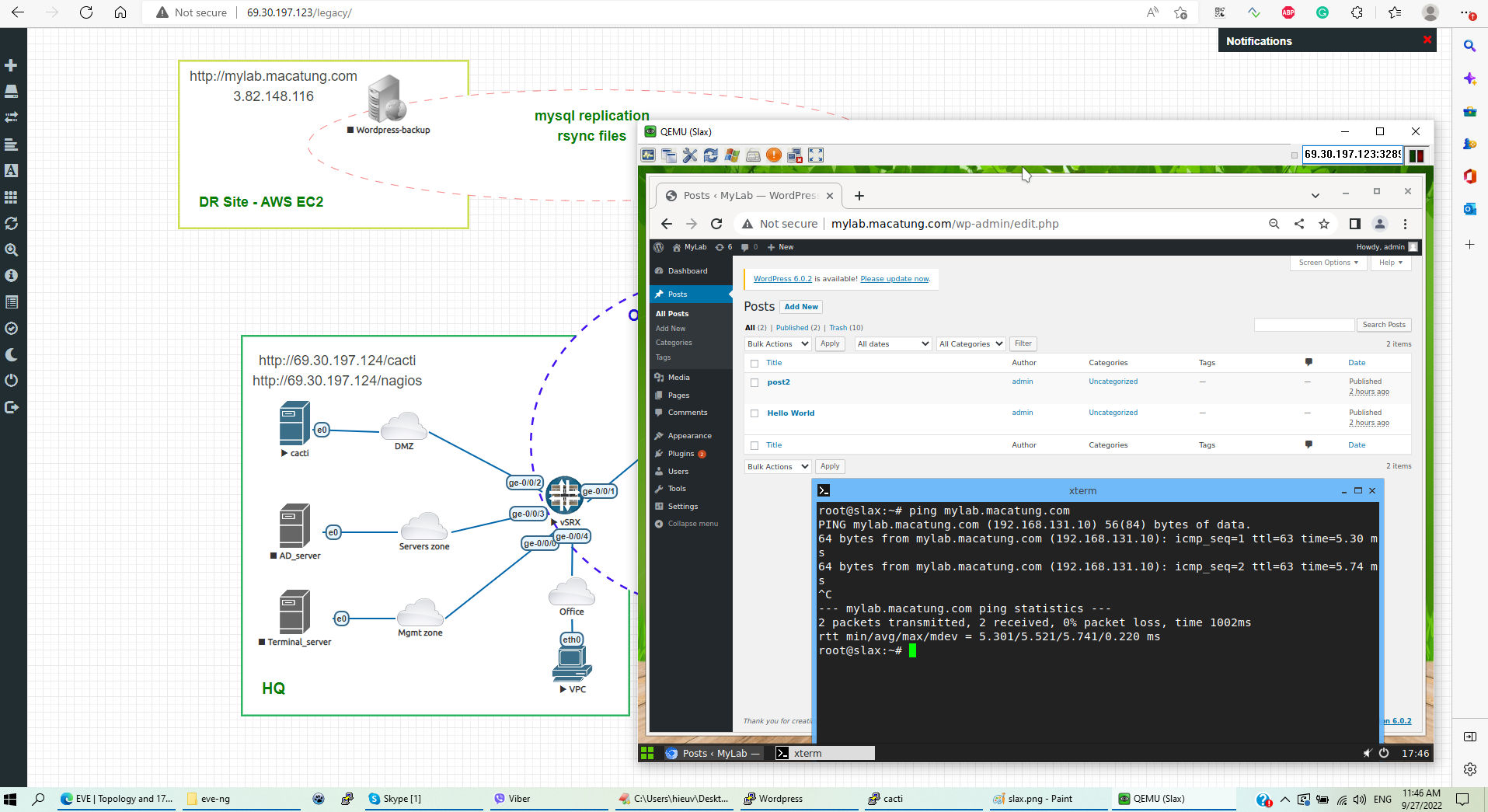
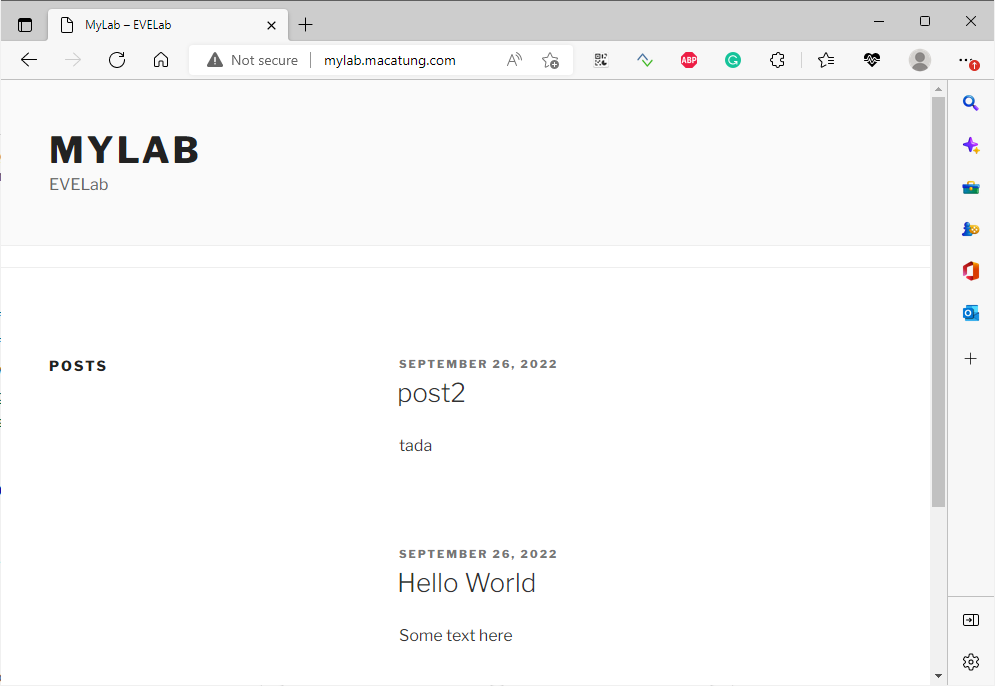
Normally office users access the internal WordPress server (IP 192.168.131.10)
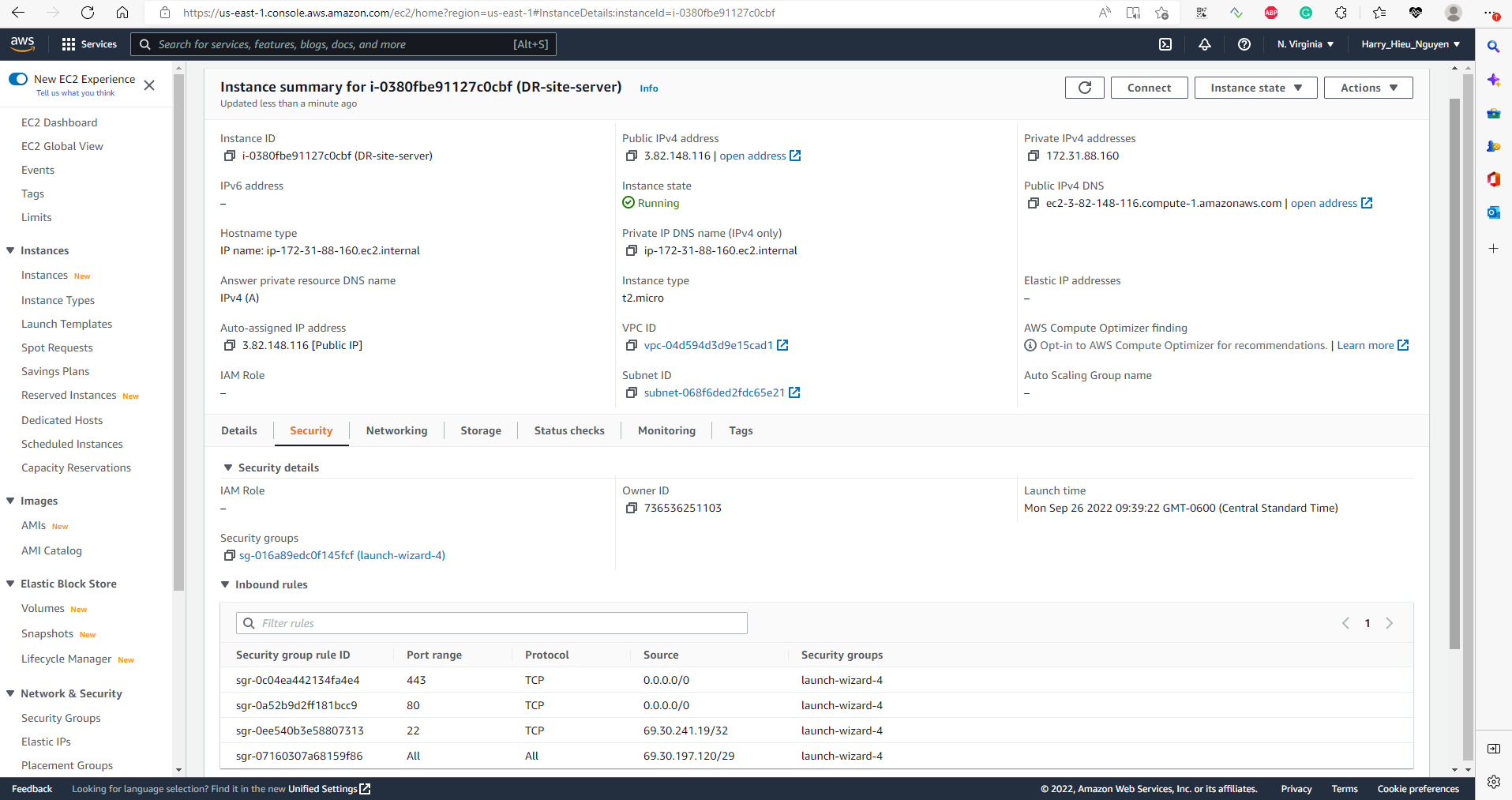
The AWS-EC2 server instance works as a DR backup for the internal WordPress server. In case of disaster, we can start the apache web server so that users can access it from the internet
Destination NAT configuration on Juniper SRX1 ( Headquarter)
Security Policies from-zones to-zones
OSPF status on Juniper SRX3 ( Campus site)
Nagios configuration for OSPF neighbor status